


NCIC Mobile Video Visitation
3.9520.00 Reviews
App Specs
- Version
- 1.454.15
- Updated On
- License
- Free
- Downloads
- 100,000+
- Developer
- Keeping Intouch
- Categories
- Communication
- Platform
- Android
Screenshots
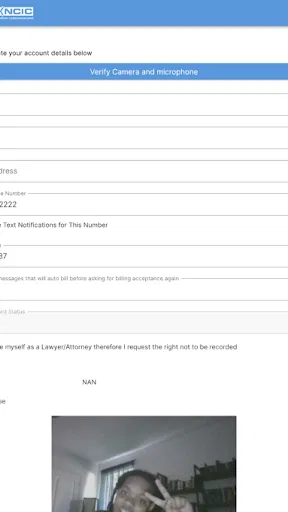

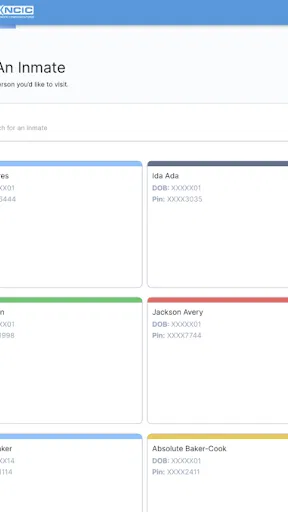
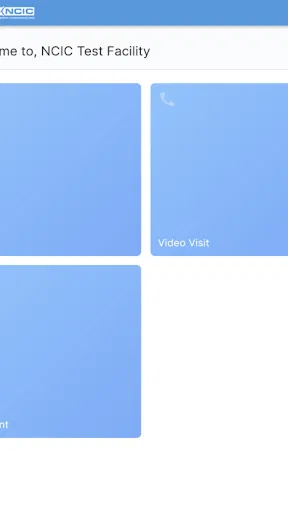
 Analysis by AppCompare
Keeping in touch with someone who is incarcerated is not the same as making an ordinary video call. The timing matters, the person using the device may be different from the person who owns the account, and a missed session can be much more frustrating than a missed casual chat. I looked at NCIC Mobile Video Visitation with that reality in mind, especially how it fits into a household where several people may share one phone or tablet.
My overall impression is that this is a focused communication app rather than a general-purpose messenger. It is built around video visitation for connecting with an incarcerated loved one, and that narrow purpose is its main strength. I would not install it expecting a replacement for everyday messaging apps. I would consider it when the correctional communication process already points a family toward NCIC and the priority is attending a scheduled video visit from a mobile device.
How NCIC Mobile Video Visitation fits into real household use
When I think about how NCIC Mobile Video Visitation fits into everyday family life, I focus less on the screen and more on the routine around it: who prepares the device, who joins the conversation, and how everyone protects a private moment in a shared home. A small plan can make the first visit feel calmer and more personal, especially when relatives have different levels of comfort with phones and tablets.
A shared tablet can make the visit easier, but only with clear boundaries
A realistic example is a family that keeps one tablet in the living room. One adult handles the account, another adult helps an older relative prepare for the call, and a teenager may use the same device for school or entertainment. In that situation, the app can be useful because the device stays in a familiar place instead of requiring every family member to own a separate phone.
The convenience comes with a responsibility that is easy to overlook: a shared device should be treated as a visit device during the agreed time. Before a call, I would close unrelated apps, silence nonessential notifications, plug in the charger, and place the tablet where the person speaking can sit comfortably. Those steps are not glamorous, but they reduce the small interruptions that can make a meaningful conversation feel rushed.
I also recommend deciding in advance who is allowed to handle the account and who is only there to participate in the conversation. That distinction matters in a household. The person helping with setup should not automatically become the person making every decision about the visit. Keeping those roles separate avoids confusion when several relatives want to join or take turns speaking.
NCIC Mobile Video Visitation is best understood as a tool for a planned interaction, not something everyone in the home should open casually. If your household needs a shared family chat, group messages, photo sharing, or spontaneous calls, a mainstream communication service will usually be more flexible. This app makes more sense when the visit itself is the center of the workflow.
Worth Reading Before You Choose

EA SPORTS FC Mobile 26 Is a Bigger Football Game, but It Takes Time

Flipboard Shows What News Apps Must Do Beyond the Feed

Switching to Android Auto Means Rethinking Your Driving Routine

Google Calendar Makes a Crowded Week Easier to Manage

Ludo King Makes the Most of the Minutes Between Plans

Baby Panda World Brings Quick Play to Modern Phones, but Its Game Library Feels Busy
Setup is less about technology than about account ownership
The first question I would settle is whose account is being used. An adult family member may be responsible for arranging access, while an older parent or another relative is the person who actually speaks during the visit. That is a workable arrangement, but everyone should know which person controls the login details and which person is simply using the device for a conversation.
I would avoid saving access information in a place where every household member can casually see it. On a shared tablet, that means thinking about who can open the app, who can change account details, and who can start a visit. The app’s purpose involves personal conversations, so treating access as private is sensible even when the device itself is communal.
Another practical boundary is physical privacy. A video visit may happen in a common room, but the person on the other end may expect to speak with one family member rather than an entire household. I would choose a quiet corner, explain who will be present, and move the device if another person enters the room. These habits are particularly important when children are nearby or when the conversation could involve sensitive family matters.
For a first use, I would prepare before the actual appointment rather than waiting until the scheduled moment. Check that the device is charged, confirm that the chosen user can reach the app, and make sure the camera is positioned at eye level. This is one of the most useful ways to reduce stress: the visit should be about the person being contacted, not about searching through a drawer for a charger.
Coordination is where the app earns its place
Video visitation often depends on several people being ready at the same time. One person may be arranging the visit, another may be driving to the home, and the incarcerated loved one may have a limited window for the conversation. I found that the app’s value is therefore tied to household organization as much as to video calling itself.
I would keep a simple shared reminder outside the app with the date, expected time, device location, and the name of the person who will help. That does not replace anything inside the service; it simply prevents the common mistake of assuming that someone else handled the preparation. For families spread across different homes, one designated coordinator can also tell everyone whether the visit is intended for one private conversation or a rotating family appearance.
A useful arrangement is to have a primary device and a backup device ready, without switching accounts impulsively. The primary device should be the one the family has already tested for camera position and sound. The backup is there for practical problems such as a low battery or a device being needed elsewhere. I would not make last-minute changes unless the person responsible for the account understands exactly what is being changed.
There is also a social trade-off. A shared visit can let children, grandparents, and siblings participate, but too many people around one screen can make the conversation noisy and difficult to follow. For a large family, short turns may work better than everyone speaking at once. For an emotional conversation, a private one-to-one setup is usually more respectful. The app facilitates the connection, but the family still has to decide what kind of visit will be comfortable.
What the age rating means in a family setting
NCIC Mobile Video Visitation carries a Teen content rating, which I would take seriously when deciding who may use it without adult involvement. That does not mean every conversation is inappropriate for a younger person. It does mean the app belongs in a context where an adult understands the communication and decides whether a child should participate.
For younger family members, I would have an adult present before, during, or immediately after the visit depending on the child’s age and the nature of the relationship. A child may be excited to see an incarcerated parent or relative and may need help understanding why the call has a fixed structure. The adult’s role is not to script the conversation, but to provide reassurance and help the child leave the call feeling supported.
Teenagers may be able to manage the device more independently, but I would still separate technical independence from account independence. A teenager might be perfectly capable of positioning the camera and joining a visit while not being the right person to manage the household’s account information. Clear boundaries help protect trust without turning the app into a source of unnecessary suspicion.
Privacy is another part of trust. I would tell everyone in the room who is visible, who can hear the conversation, and whether someone is about to enter. That simple announcement gives the person on the other end a chance to speak comfortably. It also prevents a shared-device situation from becoming an accidental audience.
Where it differs from ordinary communication apps
Compared with a typical messenger, this app is more specialized and less socially broad. You are not choosing it because it has the biggest contact list or because it combines messaging, stories, file sharing, and casual calls. You are choosing it because the communication need is tied to video visitation with an incarcerated loved one.
That specialization can be an advantage. A family does not have to explain to an incarcerated relative which general social platform to use if NCIC is already the relevant visitation route. The app gives the household a clear place to prepare for that type of contact. In my experience, a focused tool can be easier to organize around than a general app filled with unrelated conversations.
The limitation is equally clear: it should not become the only communication tool in a family’s life. For quick updates between relatives, ordinary phone calls or messaging apps are more convenient. For a family group that wants to exchange photos and coordinate daily errands, a general service is better. NCIC Mobile Video Visitation is strongest when the family treats it as the dedicated doorway to a particular kind of visit.
I would also avoid judging it by the standards of entertainment or social apps. Its success is not about keeping someone online all day. The important question is whether it helps the household prepare for and attend the intended video visit with fewer avoidable complications.
What the current adoption says, and what it does not change
The app comes from Keeping Intouch and has reached over one hundred thousand installs. It holds an average rating of 3.9 from around one thousand six hundred ratings, alongside more than five hundred written reviews. Those figures suggest that many people are using it for a real communication need, while the rating also tells me not to present the experience as flawless for every household.
It is free to install, which lowers the barrier for a family that needs the app on an existing phone or tablet. Free access does not remove the need to plan around the visitation process, the device, or the people involved. I would still treat the installation as one part of a larger routine rather than assuming that downloading it solves every practical issue.
The app was released on March 7, 2022, and the current version is 1.454.15. It requires Android 8.0 or newer. That operating-system requirement is worth checking before assigning an older household tablet to the job. If the family’s only available device cannot run the app, the apparent convenience of a shared setup disappears quickly.
Small habits that make a meaningful difference
My first tip is to create a “visit kit” near the shared device: charger, stand, headphones if appropriate, and a short written reminder of who is coordinating. This is especially helpful for older relatives who may not want to search through settings every time. It also keeps the household from borrowing the same accessories and discovering that they are missing at the worst moment.
My second tip is to use a consistent seating arrangement. Keeping the camera at a stable height and leaving enough light on the speaker’s face makes the interaction feel more natural. A tablet lying flat on a table often produces an awkward angle and encourages people to lean forward. A simple stand can make the conversation easier without changing anything inside the app.
My third tip is to plan a calm transition before and after the visit. If a child is participating, explain when the conversation is ending rather than cutting away abruptly. If an older adult is using the device, leave time to exit the session and return the tablet safely. The emotional part of a visit does not stop the instant the screen changes, and a household routine can make the experience gentler.
A fourth useful practice is to decide who speaks first. In a crowded family visit, the first minute can disappear into greetings and everyone talking over one another. Agreeing on a simple order gives each person a chance to connect. This is not a built-in feature; it is a household technique that makes a specialized video visit feel more personal.
Who should choose it, and who should look elsewhere
I would recommend NCIC Mobile Video Visitation to families whose incarcerated loved one is connected through NCIC and who want a mobile-focused way to handle video visitation. It is also a reasonable choice for households that share a tablet, provided one responsible adult manages access and the family agrees on privacy and participation.
I would be more cautious if your needs are mostly casual communication. If you want an app for daily group chats, broad contact management, spontaneous calls, or a shared stream of family photos, this is too narrow. A standard messaging or video-calling service will likely feel more natural for those tasks.
I would also hesitate to make it the responsibility of a young child or an inexperienced user. The Teen rating, the sensitive context, and the importance of scheduled contact all point toward adult guidance. A teenager can help operate the device, but the household should decide together who owns the account boundary and who is responsible for preparation.
Finally, families with older Android hardware should check compatibility before planning around it. The Android 8.0 minimum makes the app accessible on many devices, but not every older tablet will qualify. If the only available device is outdated, replacing or updating the hardware may be a bigger concern than choosing between communication apps.
My household verdict
After looking at the app through the lens of shared use, I see NCIC Mobile Video Visitation as a practical specialist rather than an all-purpose communication solution. Its best role is clear: one household, one prepared device, one responsible account holder, and a planned video visit with an incarcerated loved one.
I like that it gives families a dedicated route for an important conversation, and the free price makes trying it on a compatible device straightforward. I also appreciate that its focused purpose can reduce the temptation to mix a sensitive visit with unrelated social activity. At the same time, the app cannot solve household confusion, poor device preparation, or unclear privacy expectations. Those remain human and organizational problems.
My final advice is to install it only after deciding how your home will use it. Choose the device, assign the coordinator, protect account access, prepare the room, and agree on who will participate. If that structure matches your situation, this app is worth considering. If you are simply looking for a general family video-chat tool, I would choose a broader alternative instead.
For the right household, the real benefit is not extra features; it is having a clear, repeatable way to show up for an important visit. That is where NCIC Mobile Video Visitation feels most useful, and it is also the standard by which I would judge whether it belongs on your device.
Pros
- Convenient remote visits without traveling to a detention facility.
- Supports scheduled video sessions from a compatible mobile device.
- Can help families maintain regular contact over long distances.
- Useful for users who cannot visit during standard facility hours.
- Visit details and availability are managed within the same service.
Cons
- Availability depends on whether the facility supports NCIC video visitation.
- Poor internet connections can cause lag
- dropped calls
- or reduced video quality.
- Visits may require advance scheduling and approval from facility staff.
- Device camera
- microphone
- and notification permissions are necessary.
- Rules
- fees
- and session limits can vary between participating facilities.
FAQs for NCIC Mobile Video Visitation
What is NCIC Mobile Video Visitation used for?
NCIC Mobile Video Visitation is designed to let approved users communicate with incarcerated individuals through scheduled video visits on a compatible Android or iOS device. Instead of traveling to a correctional facility, visitors can use the app to participate remotely, depending on the facility’s rules and the services available in their area. Availability, visit types, and supported institutions may vary.
How do I create an account and schedule a video visit?
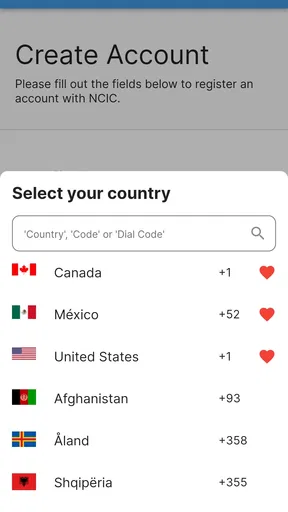
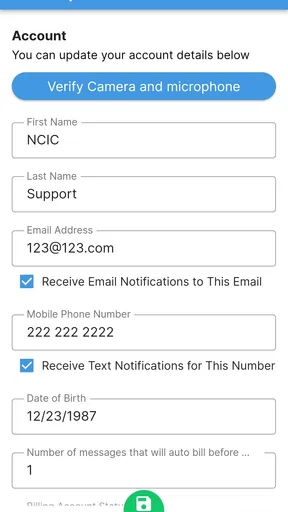
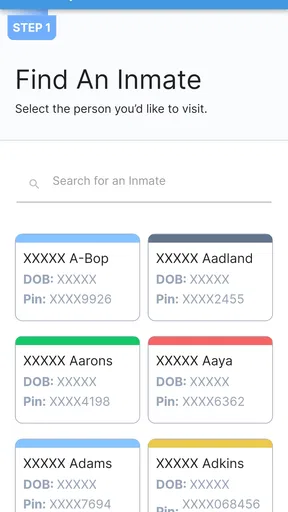
After installing the app, you generally need to register with your personal information and follow the verification steps required by the service. You may then need to select the correctional facility, locate the incarcerated person, and request or schedule an available visit. Some facilities require approval before booking, while others may impose deadlines, identification checks, or limits on visit frequency.
Does NCIC Mobile Video Visitation cost money?
The application may be free to download, but video visitation itself can involve fees determined by the correctional facility or service provider. Costs may depend on the visit duration, facility policies, payment method, and whether the visit is remote or conducted on-site. Before confirming a booking, carefully review the displayed charges, cancellation terms, and any account or transaction fees.
What equipment and internet connection are required?
You typically need a supported Android or iOS smartphone or tablet, a working front-facing camera, a microphone, speakers or headphones, and a stable internet connection. Wi-Fi is usually preferable for longer calls, since mobile video can consume substantial data. Allow the app to access the camera and microphone, and test your device beforehand to avoid connection or audio problems.
What rules should I know before starting a visitation session?
Video visits are subject to the correctional facility’s regulations, and sessions may be monitored, recorded, limited, or ended if rules are violated. Visitors may need to present valid identification, dress appropriately, remain in an approved location, and avoid prohibited behavior or unauthorized participants. Arriving late, using an unsupported device, or failing verification requirements can also result in a missed or canceled visit.


